NEW BLOG
The biggest debate in laptop storage today is SSD vs HDD. Many users ask questions like:
- Which storage is faster?
- Is SSD worth buying for laptops in 2026?
- Should I replace HDD with SSD in my laptop?
- What is the best laptop storage for gaming and office work?
If you are planning a laptop storage upgrade or buying a new laptop, this guide will help you make the right decision.
What is an HDD?
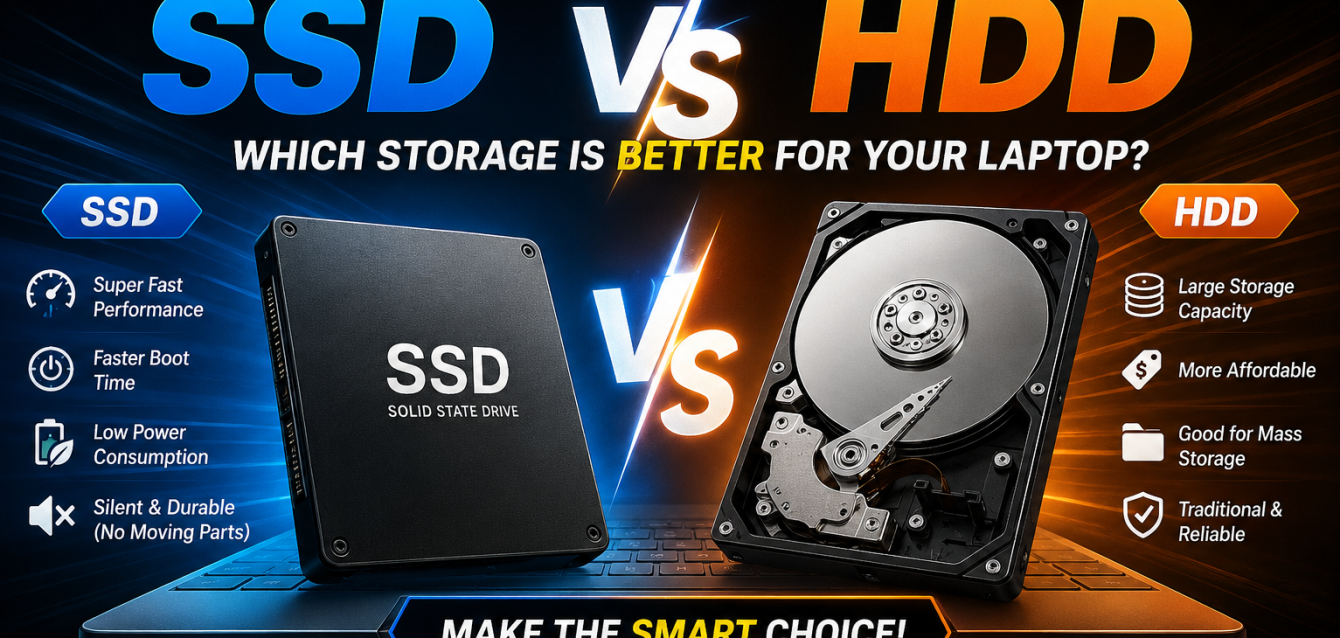
A Hard Disk Drive (HDD) is traditional storage technology that stores data using spinning magnetic disks. HDDs have been used in laptops and desktop computers for many years because they offer large storage capacities at lower prices.
Advantages of HDD
- Affordable storage solution
- Large storage capacity
- Good for storing movies, files, and backups
Disadvantages of HDD
- Slower performance
- Longer boot times
- More heat and noise
- Lower durability due to moving parts
Although HDDs are still used today, they are gradually being replaced by SSDs because users now demand faster laptop performance.
What is an SSD?
A Solid State Drive (SSD) is modern storage technology that stores data on flash memory chips instead of spinning disks. SSDs are significantly faster, quieter, and more efficient than HDDs.
SSD Benefits
- Extremely fast performance
- Faster boot and loading times
- Better battery efficiency
- Silent operation
- More durable and reliable
Today, SSDs are considered the best laptop storage option for most users.
SSD vs HDD – Major Differences
| Feature | SSD | HDD |
|---|---|---|
| Speed | Extremely Fast | Slower |
| Boot Time | 5–15 Seconds | 30–60 Seconds |
| Durability | High | Moderate |
| Noise | Silent | Noisy |
| Battery Life | Better | Lower |
| Gaming Performance | Excellent | Average |
| Price | Higher | Lower |
| Storage Capacity | Moderate to High | Very High |
HDD vs SSD Speed – Which is Faster?
When comparing HDD vs SSD speed, SSD clearly wins.
An SSD can boot Windows in seconds, launch applications instantly, and transfer files much faster than an HDD. If your laptop feels slow, upgrading to SSD is one of the best solutions.
How SSD Improves Laptop Speed and Performance
An SSD improves your laptop experience by:
- Reducing startup time
- Speeding up software loading
- Improving multitasking
- Enhancing gaming performance
- Reducing lag and freezing
Even an old laptop can feel brand new after an SSD laptop upgrade.
Why SSD is Better Than HDD for Laptops
There are several reasons why SSD is better than HDD for laptops:
1. Better Performance
SSDs provide smoother and faster computing experiences for students, professionals, and gamers.
2. Improved Battery Life
One major advantage in the SSD vs HDD battery life comparison in laptops is power efficiency. SSDs consume less power, helping laptops last longer on battery.
3. Faster Gaming Experience
For gamers, SSDs reduce loading times and improve responsiveness. That’s why many users now prefer SSD for gaming laptops.
4. Greater Reliability
Since SSDs have no moving parts, they are less likely to fail due to physical damage or shocks.
SSD vs HDD for Gaming and Office Work
Gaming
If you play modern games, SSD is the best choice. Games load faster, textures render quicker, and system responsiveness improves dramatically.
Best Storage for Gamers
- SSD for operating system
- SSD for games
- Optional HDD for large file storage
Office Work
Professionals working with Excel, Photoshop, video editing, or multitasking benefit greatly from SSD speed.
For office users, SSD offers:
- Faster workflow
- Better productivity
- Less waiting time
- Improved multitasking
Should I Replace HDD with SSD in My Laptop?
Absolutely.
If your laptop currently uses an HDD, replacing it with an SSD can dramatically improve performance without buying a new laptop.
Signs You Need an SSD Upgrade
- Laptop boots slowly
- Programs take too long to open
- Frequent freezing or lag
- Poor gaming performance
- Slow file transfers
A best SSD upgrade for old laptops can extend your laptop’s life by several years.
Best Storage Option for Students and Professionals
Students and professionals need reliable, fast, and energy-efficient laptops.
Recommended Choice:
✅ SSD
Why?
- Faster research and browsing
- Quick software loading
- Better online meeting performance
- Improved productivity
- Better battery backup
For most users today, SSD is the best storage option for students and professionals.
Laptop SSD Price – Is SSD Expensive?
Many people think SSDs are too expensive, but prices have become much more affordable in recent years.
Common SSD Sizes & Pricing
- 256GB SSD – Budget-friendly
- 512GB SSD – Best value
- 1TB SSD – Ideal for gaming and professionals
If you are searching for the best affordable SSD for laptop upgrade, a 512GB SSD usually offers the perfect balance between price and performance.
Is SSD Worth Buying for Laptops in 2026?
Yes, without any doubt.
In 2026, SSDs are no longer considered luxury upgrades — they are becoming standard storage solutions for modern laptops.
Reasons SSD is Worth It
- Faster performance
- Better gaming experience
- Improved battery life
- Enhanced durability
- Future-proof technology
For anyone buying a laptop today, SSD should be the top priority.
Final Words – SSD or HDD?
After comparing SSD vs HDD, SSD clearly emerges as the winner for most users.
Choose SSD If You Want:
- Faster laptop performance
- Better gaming experience
- Improved battery life
- Smooth multitasking
- Long-term reliability
Choose HDD If You Want:
- Cheap large-capacity storage
- Basic file storage
- Backup storage solution
Best Recommendation
For the best experience:
- Use SSD as primary storage
- Use HDD only for extra storage if needed
Conclusion
Choosing between SSD and HDD depends on your needs, budget, and usage style. However, for most modern users, SSD offers the perfect combination of speed, reliability, and efficiency.
Whether you are upgrading an old laptop or purchasing a new one, investing in SSD storage can completely transform your computing experience.
If you are looking for the best SSD for laptop, affordable laptop upgrades, or high-performance laptops, visit Comps Online for the latest laptops, SSDs, and computer accessories at competitive prices.